
Squarespace and Wix are still frequently grouped together as “easy website builders,” but that description hides the differences that matter most in 2026. Both are hosted platforms, both remove server administration from the owner’s workload, and both can support professional business websites without requiring day-to-day coding. The real distinction appears after launch, when a site needs regular landing pages, new services, lead-capture workflows, content expansion, ecommerce features, or ongoing conversion improvements.
Squarespace has become more flexible than older comparisons suggest. Fluid Engine gives version 7.1 users a visual grid, drag-and-drop block placement, and separate control over many desktop and mobile layouts. Wix has also continued to evolve, combining visual editing, AI-assisted creation, business management tools, and multiple editing environments for different levels of complexity.
This comparison is written for site owners who already have a website and are deciding whether Squarespace can still support their goals or whether Wix is the more practical next step. It focuses less on which platform has the prettier templates and more on how each system performs as the site becomes an active part of marketing and business operations.
Core Philosophy: Design Guardrails vs Flexible Control
Squarespace is built around design consistency. Its templates, global styles, section controls, and layout tools are intended to help users maintain a coherent visual system. Typography, colors, spacing, buttons, and reusable design decisions can be managed centrally, reducing the likelihood that individual pages drift away from the brand.

Fluid Engine has made this approach considerably less restrictive. Users can resize and overlap blocks, create more individual section layouts, and adjust many mobile arrangements independently from desktop. Squarespace is therefore no longer limited to the rigid template editing experience associated with its earlier versions.
Even so, the platform still encourages you to work inside a controlled visual framework. That is often an advantage for portfolios, editorial sites, hospitality brands, consultants, and small businesses that want a polished result without making dozens of design decisions on every page.
Wix takes a broader approach. It prioritizes customization, iteration, and the ability to combine design with business functionality. Owners can start from a template, generate a starting point with AI tools, or build layouts more manually. This makes Wix feel less like a protected presentation system and more like a flexible workspace that can continue changing as the business changes.
This philosophical difference shapes everything else, from editing workflows and mobile design to integrations, content scaling, and the amount of freedom given to non-designers.
Editing Experience and Speed
Squarespace editing is structured, but it is no longer fair to describe it as simple block stacking. Fluid Engine uses a grid-based canvas that allows blocks to be moved, resized, layered, and arranged with much more freedom than the classic editor. Desktop and mobile layouts can also be handled separately in supported sections, which helps prevent a carefully designed desktop page from becoming awkward on a smaller screen.
The editing experience remains intentionally guided. Squarespace gives users enough freedom to customize a page while continuing to emphasize alignment, consistency, and a limited set of predictable design patterns. This can make routine content updates fast, but unusual layouts or highly specific conversion elements may still require custom code, third-party tools, or compromises.
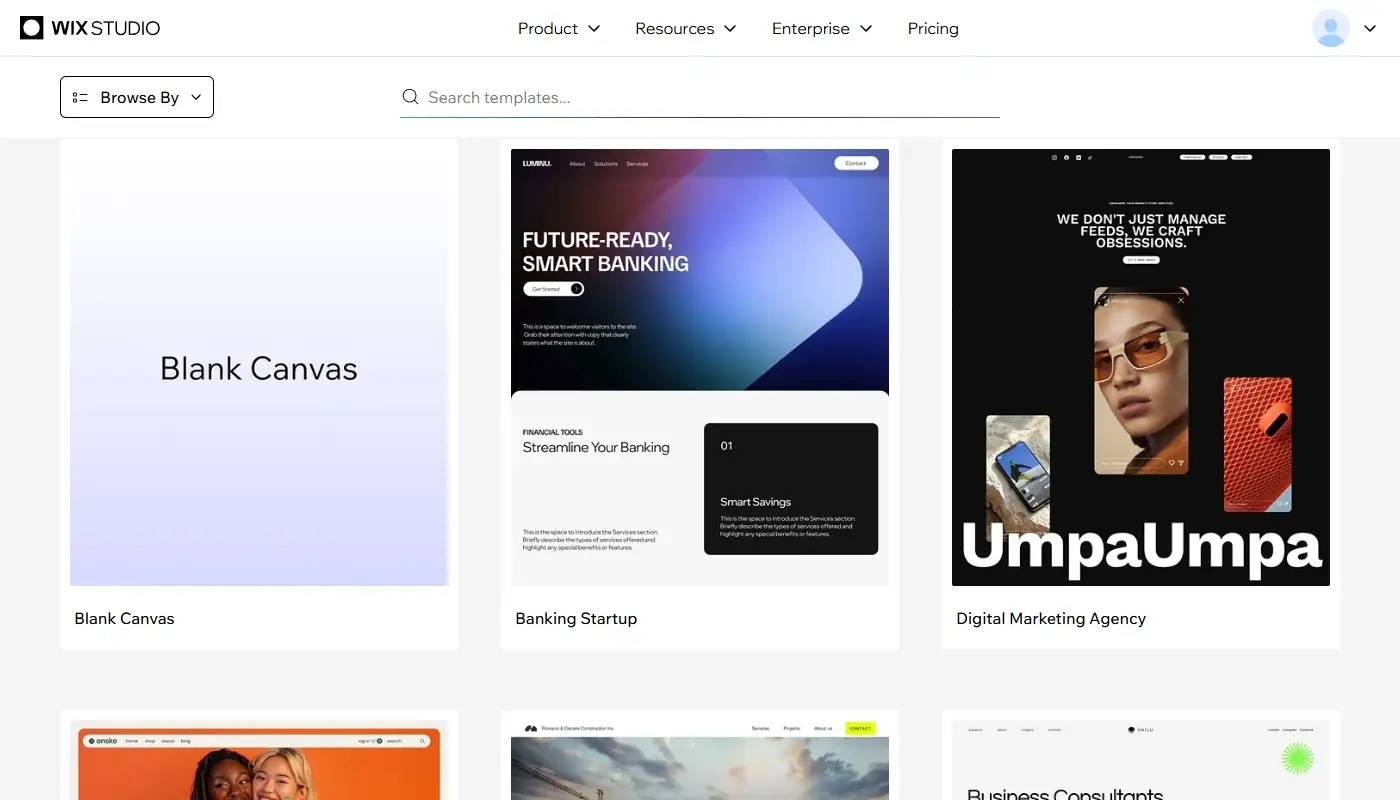
Wix editing is generally more direct and open-ended. Depending on the site and account, users may encounter the classic Wix Editor, newer AI-assisted editing experiences, or Wix Studio for more advanced responsive work. Across these environments, the platform emphasizes visual control, reusable sections, business widgets, and the ability to assemble pages for different campaigns or audiences.
That freedom can make Wix faster when a business needs to launch a temporary offer, duplicate and adapt a landing page, add a booking flow, create a new service page, or test a different call to action. It can also create more opportunities for inconsistent spacing or unnecessary design complexity if too many people edit the site without shared rules.
This difference we’ve discussed in our Wix Review is one of the main reasons for owners who feel constrained by Squarespace to start exploring other systems. The issue is usually not that Squarespace cannot create a professional page. It is that Wix may make repeated experimentation easier when the website changes every month rather than every year.
Design Flexibility and Page Layouts
Squarespace templates still look polished out of the box, and its global design controls make it easier to keep an entire site visually coherent. Fluid Engine now supports custom compositions, overlapping content, background treatments, animations, and independent mobile adjustments, so businesses can create much more than a standard portfolio layout.
The boundaries become more noticeable when every page needs a different conversion structure. A service business may want one page centered on a consultation form, another built around a pricing calculator, and a third combining comparison tables, testimonials, FAQs, sticky calls to action, and multiple lead magnets. Squarespace can support many of these elements, but achieving the exact workflow may involve more external services or custom implementation.
Wix is more accommodating for marketing-style layouts because its design tools and business components are closely connected. Service pages, campaign landing pages, event registrations, booking pages, member areas, and ecommerce sections can be assembled without forcing them into one presentation pattern. Wix sites therefore tend to diverge more visually over time because owners have more freedom to build each page around a particular goal.
If you are satisfied with Squarespace’s aesthetic but frustrated by its boundaries, that tension is often the deciding factor. If you value the boundaries because they prevent the site from becoming inconsistent, staying with Squarespace may be the better decision.
Mobile Design and Responsive Control
Mobile editing is an important part of the comparison because a layout that looks impressive on a laptop can fail when forms, buttons, images, and headings are compressed onto a phone.
Squarespace Fluid Engine allows the mobile arrangement of blocks to be adjusted independently in supported areas. This is a major improvement over older versions, where mobile layouts were more heavily determined by automatic stacking. The system still protects responsive behavior, but users have more control over ordering, sizing, visibility, and spacing.
Wix also provides mobile editing and responsive tools, although the exact level of control depends on which Wix editor is being used. The standard editor is approachable for small-business users, while Wix Studio is designed for more advanced responsive behavior and agency workflows. For a typical owner-managed site, both platforms can produce strong mobile pages; the practical difference is how much manual control the team wants and how carefully it is prepared to test different screen sizes.
SEO and Site Structure
Both platforms support the essential SEO tasks required by most small and medium-sized websites. Site owners can manage titles, meta descriptions, URL slugs, image alt text, indexation settings, social sharing information, sitemaps, and redirects. Neither platform should be dismissed as inherently incapable of ranking.
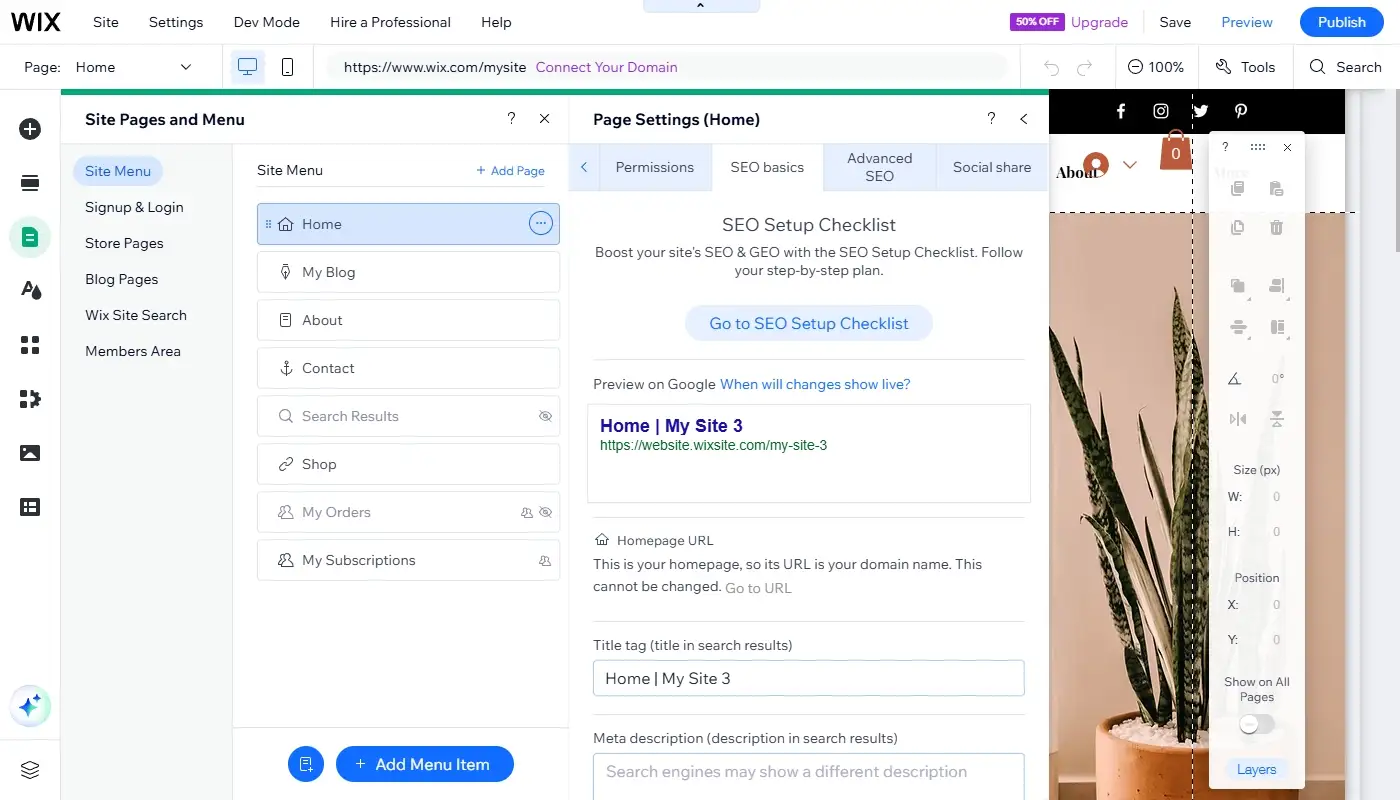
The difference appears when the site is restructured or expanded. Wix provides a dedicated SEO and GEO dashboard, editable settings for different page types, structured data controls, SEO guidance, and a redirect manager that can handle individual or grouped URL changes. This is useful when a site has many service pages, products, categories, locations, or recurring content templates.
Squarespace also provides built-in SEO controls and supports permanent and temporary URL mappings. Its automatically generated technical foundation is sufficient for many portfolio, service, content, and commerce sites. However, users who want highly granular control over large groups of pages may find Wix’s dashboard and page-type settings easier to scale.
In practice, platform choice is only one part of SEO performance. Content quality, internal linking, search intent, page speed, mobile usability, backlinks, and the accuracy of migration redirects usually matter more than the builder name. Moving to Wix will not automatically improve rankings, and remaining on Squarespace will not automatically limit them.
Integrations and Business Tools
Squarespace has expanded beyond basic website publishing. It offers commerce features, forms, member areas, email campaigns, analytics, scheduling through Acuity, official integrations, and third-party Squarespace Extensions. For many creative businesses and smaller service operations, this is enough to run the entire customer-facing site.
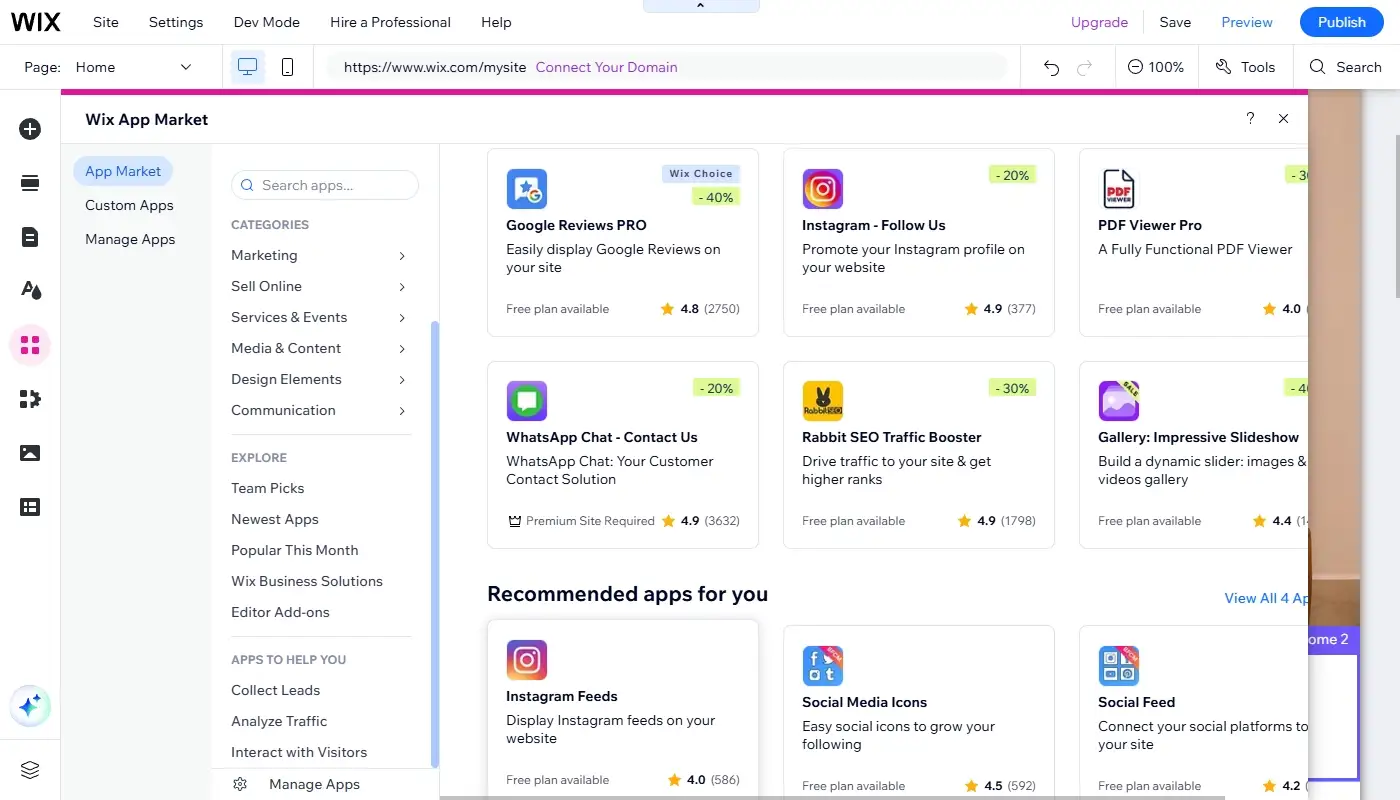
Wix includes a broader collection of built-in business solutions and a larger app ecosystem. Forms, contact records, automations, appointment scheduling, ecommerce, events, memberships, online programs, chat, invoices, and marketing tools can be connected to the same site dashboard. The Wix App Market also makes it easier to extend the site when the built-in tools are not sufficient.
This difference matters most when the website is part of a larger workflow. A visitor may submit a form, enter the contact database, receive an automated response, book a consultation, pay an invoice, and later receive a follow-up campaign. Wix is often more comfortable when several of these actions need to happen inside one platform.
Squarespace can support similar workflows, but businesses may rely more heavily on separate subscriptions or integrations. That is not necessarily a disadvantage: a company may prefer specialist tools for CRM, email, scheduling, or analytics. The question is whether you want an all-in-one operating environment or a cleaner website layer connected to external systems.
Ecommerce and Service Sales
Both platforms can sell products, digital content, services, subscriptions, and appointments, but their strengths differ. Squarespace Commerce is attractive for visually led catalogs, creative products, memberships, and brands that want the store to feel tightly integrated with editorial design.
Wix is often stronger for businesses combining several revenue models. A single site can include products, bookings, events, pricing plans, courses, and member-only content. This flexibility is useful for a studio that sells physical products, takes consultation bookings, and offers a paid online program at the same time.
For a large or operationally complex store, neither platform should be selected without examining inventory, tax, shipping, marketplace, point-of-sale, and app requirements. The best choice is determined by the selling workflow rather than by the homepage design.
Pricing and Value Over Time
On paper, pricing between Squarespace and Wix can look similar, but advertised monthly rates do not provide a complete comparison. Pricing varies by region, billing cycle, plan level, promotions, storage, ecommerce features, transaction terms, and the additional services attached to the account.
Squarespace’s value is strongest when the site benefits from its integrated design system and does not require a large collection of external applications. Wix’s value grows when built-in scheduling, CRM-style contact management, forms, automations, ecommerce tools, or additional apps replace separate products in the business stack.
Before choosing, calculate the total annual cost rather than comparing the lowest plan shown on each pricing page. Include the website plan, domain renewal, business email, email marketing, appointment scheduling, premium apps, payment processing, custom development, and the time spent maintaining workarounds. A slightly more expensive plan may be better value if it replaces two or three other subscriptions.
Squarespace vs Wix: Quick Comparison
| Area | Squarespace | Wix |
| Best fit | Design-led, editorial, portfolio, hospitality, and relatively streamlined business sites | Actively managed business sites, campaigns, bookings, mixed revenue models, and expanding workflows |
| Editing approach | Flexible grid editing inside a controlled design system | More open-ended visual editing with multiple editor options |
| Mobile control | Independent mobile layouts in supported Fluid Engine areas | Mobile and responsive controls vary by editor, with advanced options in Wix Studio |
| SEO | Strong essentials and built-in URL mappings | Strong essentials plus scalable page-type settings and redirect tools |
| Business tools | Good core suite with official integrations and Extensions | Broader built-in suite and larger app ecosystem |
| Main risk | Complex workflows may depend on external tools or custom work | Greater freedom can lead to inconsistent design or unnecessary complexity |
Who Should Stay on Squarespace
As stated in this detailed Squarespace review, the website builder remains a strong choice if your site is design-led, content-focused, and relatively streamlined. Portfolios, restaurants, photographers, consultants, personal brands, studios, and small online stores can remain comfortable on Squarespace for years.
You should generally stay if the site already supports your key customer journey, the team can update it without difficulty, integrations are reliable, and the design system helps rather than restricts you. Migrating only because another platform has a longer feature list rarely produces a meaningful business improvement.
Who Is More Likely to Benefit from Wix
Wix becomes more compelling when the site needs frequent campaign pages, advanced lead forms, multiple booking or sales flows, a broader range of applications, or closer coordination between website activity and customer management. It is also attractive when owners want to make substantial layout changes without returning to a developer for every adjustment.
A switch may be justified when Squarespace workarounds are consuming time, separate tools are creating fragmented data, or the existing site structure no longer reflects how the business sells. The strongest reason to migrate is not that Wix is universally better, but that its operating model is better aligned with the next stage of the website.
Moving from Squarespace to Wix in Practice
Switching platforms does not mean copying every page exactly as it is. A successful migration begins with an inventory of pages, blog posts, products, forms, integrations, metadata, media files, and URLs. This is the right moment to identify outdated content, weak calls to action, duplicate pages, and navigation that has become difficult to use.
The new Wix site should preserve the recognizable parts of the brand while improving the structures that caused the migration. Key pages need to be rebuilt, forms and automations tested, mobile layouts reviewed, analytics reconnected, and metadata transferred. Every changed URL should have an appropriate redirect so visitors and search engines reach the correct replacement page.
Migration should also include a post-launch review. Check important URLs, forms, checkout or booking flows, indexation settings, analytics events, internal links, and search-console reports. Redirects and rankings should be monitored after launch because even a carefully planned move can reveal missing assets or unexpected crawl paths.
When done correctly, the site feels familiar but more capable. On squarespace-to-wix.com, the focus is exactly that: moving from Squarespace to Wix in a structured, SEO-aware way that improves flexibility without sacrificing the content, branding, and visibility the existing site has already earned.