
Squarespace built its reputation on one quality that still matters in 2026: it helps people publish polished websites without assembling a separate hosting, security, design, and content-management stack. Its typography, templates, image presentation, and global style controls make it possible for a small brand to create a premium-looking online presence without hiring a full design team.
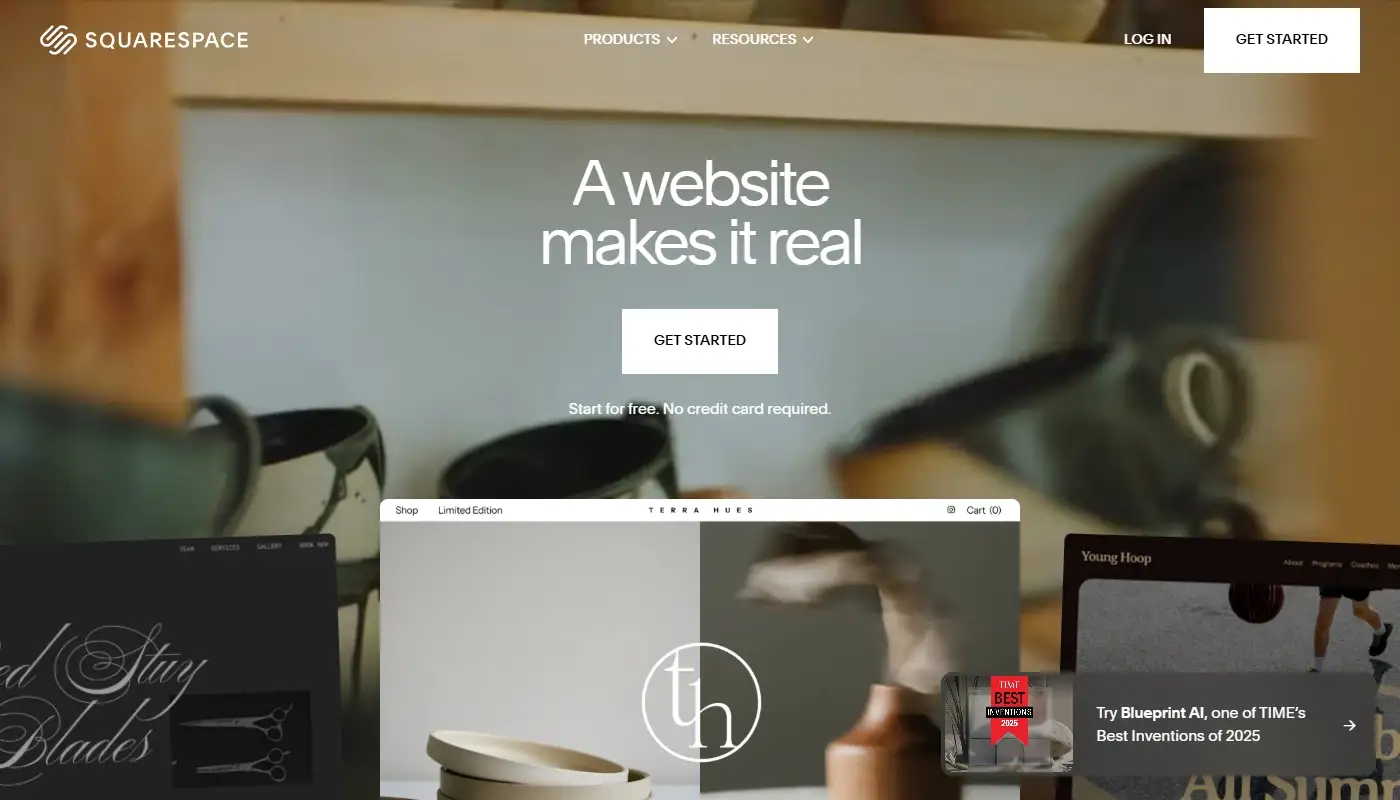
The platform has also changed substantially. Fluid Engine, the primary editing experience for Squarespace 7.1 sites, gives users a customizable grid, drag-and-drop block placement, overlapping elements, and independent control over many desktop and mobile layouts. Squarespace AI can help generate first-draft content and identify missing SEO descriptions or image alt text. Commerce, scheduling, memberships, email campaigns, and extensions make the product broader than the simple portfolio builder it is sometimes assumed to be.
But as businesses treat their websites as active growth and operational channels, requirements become more demanding. Owners may need many campaign pages, complex form routing, connected customer records, multiple sales models, advanced automations, or integrations that go beyond the platform’s preferred workflow. This is where some Squarespace sites begin to feel constrained. The platform is capable and increasingly flexible, but it still has boundaries.
This updated review explains what Squarespace is designed to do in 2026, where it performs best, where it can become restrictive, which types of sites tend to outgrow it first, and what alternatives can be chosen instead.
What Squarespace Is Trying to Be
Squarespace is a hosted website platform. A subscription combines hosting, security, templates, responsive design, content tools, and site management in one account. Owners do not need to choose a separate hosting company, install a content management system, monitor plugin compatibility, or handle routine server maintenance.
The product is built around an integrated design system. Instead of giving every page complete independence, Squarespace encourages the use of shared typography, color palettes, button styles, spacing, and section treatments. These global controls help a site remain visually coherent as new content is added.
This design guardrail is not a weakness by default. Many owner-managed websites become inconsistent because each new page introduces different fonts, colors, margins, and calls to action. Squarespace reduces that risk. A photographer can add a new gallery, a consultant can publish a service page, and a restaurant can update menus without redesigning the entire site.
The platform is therefore best understood as a managed environment for creating a cohesive brand presence. It offers customization, but it expects that customization to remain inside a structured system rather than turning every page into an entirely separate design project.
Where Squarespace Still Performs Extremely Well
The first clear strength is visual quality. Squarespace sites can look refined before extensive customization because templates, type scales, spacing, galleries, and image treatments are designed to work together. This is particularly valuable for businesses where presentation is closely connected to perceived value.
Photographers, architects, interior designers, creative studios, restaurants, hospitality brands, authors, consultants, and personal brands often benefit from this approach. Their websites need to communicate taste, credibility, and atmosphere without requiring dozens of specialized applications behind the scenes.
The editing workflow is also comfortable for routine updates. Owners can publish pages, update text, replace images, add sections, manage blog posts, and maintain navigation without dealing with plugins or hosting choices. The platform handles much of the technical foundation automatically, including responsive behavior, SSL support, sitemaps, and standard search-engine requirements.
Squarespace is especially effective when the website has a clear and relatively stable purpose. A portfolio may need new projects every month but not a different customer journey for every project. A consultant may add articles and case studies while keeping the same enquiry process. A restaurant may update seasonal content without rebuilding the site’s underlying structure.
If this describes your situation and you mainly want to confirm whether Squarespace is still sufficient, it makes sense to compare Squarespace with Wix to understand what you would gain and what you might give up by switching.
Fluid Engine and the Current Editing Experience
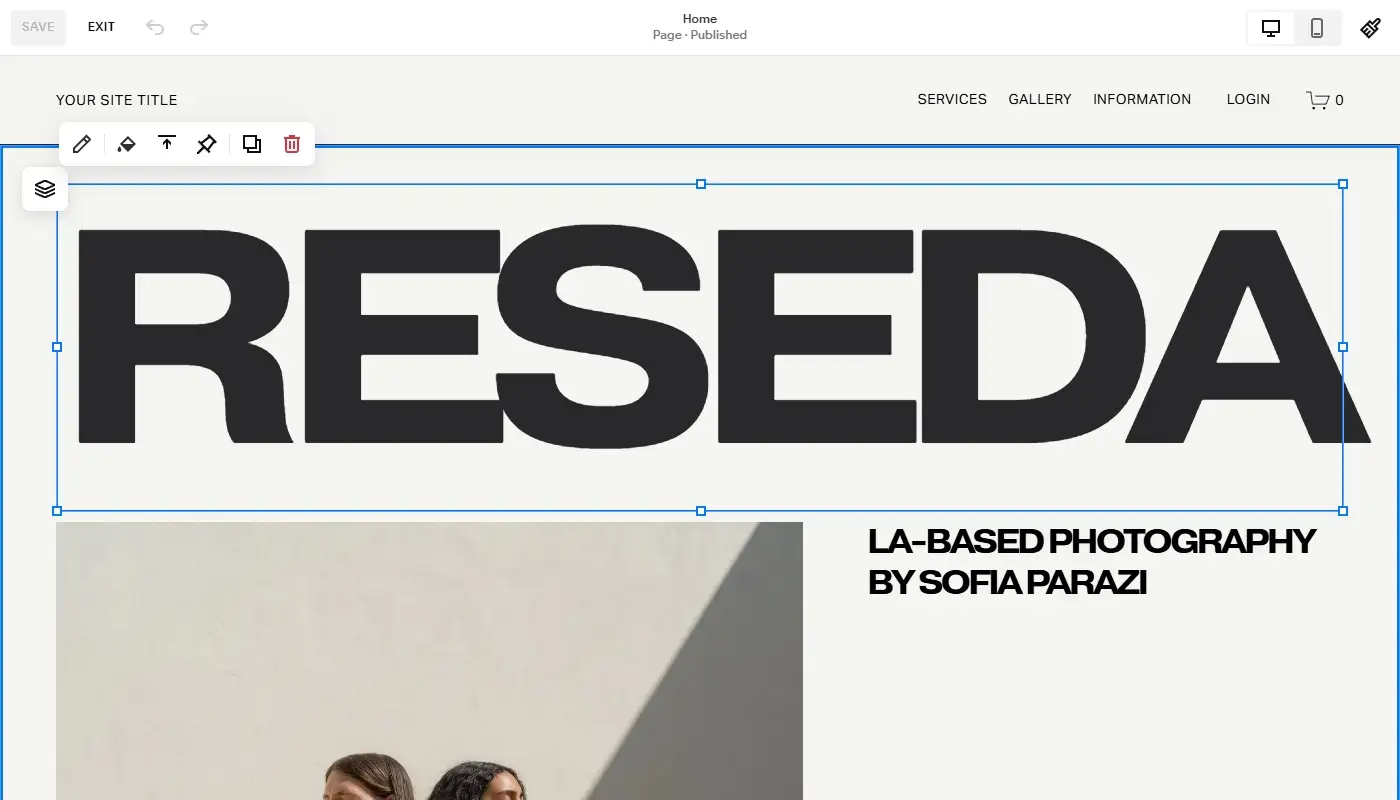
Many older Squarespace reviews describe an editor based almost entirely on rigid blocks that stack into predictable columns. That description is no longer accurate for modern version 7.1 sites. Fluid Engine uses a visible grid that allows blocks to be placed and resized with considerably more freedom. Elements can overlap, layouts can be asymmetrical, and sections can move beyond the conventional template patterns associated with earlier Squarespace versions.
Desktop and mobile layouts can also be arranged independently in Fluid Engine sections. A group of blocks may appear side by side on desktop and use a different order or composition on mobile. This gives designers more control over the small-screen experience than the automatic stacking behavior of the classic editor.
The grid still acts as a design constraint. Blocks align to rows and columns, and moving one element can affect nearby content as the system preserves the section’s structure. For many users, this is a useful balance: more creative freedom than older Squarespace editing, but enough guidance to reduce accidental layout problems.
There are also practical differences between site generations. Fluid Engine is the primary editor for version 7.1, while version 7.0 sites and some older areas may continue using the classic editor. Owners evaluating the platform should therefore check which Squarespace version and editing environment their current site actually uses before judging what the platform can or cannot do.
Mobile Design Requires Active Review
Squarespace includes responsive design, but responsive does not mean that every page will remain perfect after extensive customization. Large media files, dense sections, narrow typography, overlapping blocks, and complex galleries can still create mobile usability issues.
Fluid Engine lets users arrange mobile layouts independently from desktop, which is a major improvement. It also creates an additional responsibility: both versions need to be reviewed. A visually impressive desktop composition may require simplified spacing, a different block order, or fewer decorative elements on a phone.
The built-in device view is useful for editing and previewing, but no simulator can represent every browser and screen size. Important pages should still be tested on real devices, especially pages containing forms, navigation menus, booking tools, product grids, or long calls to action.
Squarespace AI in 2026
Squarespace now includes AI-assisted tools across parts of the website-building workflow. Blueprint AI tools can help users generate a starting structure and design direction, while Squarespace AI can create first-draft text for website sections, product descriptions, emails, and other content. The platform’s SEO-related tools can also identify missing descriptions or alt text and suggest improvements.
These tools are most useful for overcoming the blank page, producing alternatives, and speeding up repetitive work. They do not replace brand positioning, fact checking, customer research, or editorial judgment. Automatically generated copy may sound polished while remaining generic, repetitive, or unsupported by the business’s real experience.
For an existing site, AI should be used as an assistant rather than an automatic rewriting system. High-performing pages may already contain valuable search intent, internal links, customer language, and conversion elements. Replacing them with newly generated text without analysis can reduce performance rather than improve it.
SEO and AI Search Visibility
Squarespace provides the essential SEO foundation required by most small and medium-sized websites. Owners can edit page titles, SEO descriptions, URL slugs, social sharing settings, image alt text, and indexation options. The platform generates sitemaps, supports secure connections, and includes URL mappings for permanent and temporary redirects.
Its built-in approach is useful for teams that do not want to manage technical SEO plugins. Standard site types can establish clear page hierarchies, publish search-focused content, connect analytics and search tools, and preserve URLs during redesigns without working directly with server configuration.
Squarespace has also added guidance related to visibility in AI-powered search experiences. The fundamentals, however, remain familiar: create clear and useful content, demonstrate real expertise, use descriptive headings, maintain consistent business information, add accurate metadata, and ensure important pages can be crawled.
AI-generated descriptions or new dashboard labels do not guarantee inclusion in AI answers or higher rankings. Search visibility still depends on the quality and credibility of the website as a whole. The platform can provide the fields and technical foundation, but it cannot replace a content strategy.
Commerce, Scheduling, and Memberships
Squarespace is no longer limited to pages and portfolios. Businesses can sell physical and digital products, services, subscriptions, memberships, and other content. Scheduling can be handled through Acuity, while email campaigns and member areas support additional customer relationships.

These tools work especially well for visually led stores and businesses with a straightforward selling model. A ceramic studio can combine editorial storytelling with a product catalog. A photographer can present work, sell prints, and accept session bookings. A consultant can publish articles, take appointments, and offer gated content without operating several unrelated systems.
Pressure appears when commerce operations become more specialized. Large catalogs, advanced inventory requirements, complex tax or shipping logic, marketplace synchronization, extensive product filtering, and unusual subscription workflows may require extensions, external software, or a commerce-first platform.
The same is true for memberships and scheduling. Squarespace can cover many common scenarios, but businesses should map the complete workflow before committing: customer accounts, recurring payments, cancellation rules, reminder messages, staff availability, reporting, data exports, and integrations with the rest of the company.
Integrations, Extensions, and Developer Options
Squarespace supports official integrations, third-party Extensions, code-based customization, and developer tools. This makes the ecosystem more capable than a closed-template platform, and many businesses can connect accounting, fulfillment, marketing, analytics, and other services without replacing the website.
The limitation is not that integrations are absent. It is that Squarespace has a smaller and more controlled ecosystem than platforms built around extensive app marketplaces or open plugin architectures. A specific CRM, automation trigger, product system, or reporting workflow may not have the depth of integration a growing company expects.
Code injection and APIs can extend a project, but they also change the maintenance model. Once a site depends on custom scripts, external widgets, or developer-built connections, the owner is no longer receiving the full simplicity of the original all-in-one promise. These additions need documentation, testing, and ongoing support.
Where Squarespace Starts to Feel Limiting in 2026
The most common pressure point is not basic layout freedom anymore. Fluid Engine can create sophisticated pages. The limitation appears when a business needs to produce many structurally different pages quickly and connect each one to a different marketing or operational workflow.
A growing service company may want location pages, campaign-specific offers, multi-step lead forms, conditional follow-ups, customer records, internal task creation, and several booking or payment paths. Squarespace can support parts of that journey, but the complete system may require multiple external services and additional implementation work.
Another pressure point is design governance at scale. Fluid Engine gives users more freedom, but Squarespace still works best when the site follows a coherent visual language. Teams that want each campaign to behave like an independent microsite may find a more open-ended editor or professional design platform easier to adapt.
Content scaling can also expose boundaries. A standard blog or portfolio is straightforward, but businesses that need highly customized databases, relationships between content types, advanced filtering, or unusual dynamic templates may require a different content management architecture.
These limitations do not make Squarespace a poor platform. They define what it is optimized for. If the website now needs to evolve more often, support broader business processes, and coordinate more tools, Wix can become an attractive alternative. This review explains why it may be a better fit for that kind of project.
Pricing and the Real Cost of Convenience
Squarespace pricing is subscription-based and generally easier to understand than maintaining hosting, themes, plugins, security services, and developer support separately. However, the displayed plan price is not the complete cost of operating the site.
Businesses should include the domain, business email, email marketing, scheduling, transaction and payment-processing costs, memberships, extensions, custom code, and external services required to complete the workflow. Plan availability and pricing can vary by region, billing cycle, and promotion, so the best comparison uses the total annual cost for the actual configuration.
Opportunity cost matters as well. If the team delays campaigns because a required workflow is difficult to build, or maintains several manual processes because the website cannot pass data where it needs to go, the platform may be slowing growth even when the subscription itself appears affordable.
The reverse is also true. Migrating to a feature-rich platform can be wasteful when Squarespace already handles the business’s real needs. More functionality has little value if it adds training, inconsistent design, unused apps, and a more complicated publishing process.
Who Squarespace Still Works For
Squarespace remains a strong option for businesses that want an attractive, stable, and manageable website without endless structural complexity. It is often an excellent fit for personal brands, creators, photographers, designers, restaurants, hospitality businesses, studios, consultants, authors, and small product catalogs.
It also suits teams that value brand consistency more than unrestricted page-level experimentation. Global styles and a controlled editing environment help ensure that routine updates do not gradually damage the visual identity.
If the current site supports the customer journey, ranks for relevant searches, receives enquiries or sales, and can be updated without repeated workarounds, there is no urgent reason to leave. Platform migration should solve a measurable problem rather than satisfy a general desire for more features.
When It Might Be Time to Leave Squarespace
It may be time to consider another platform when the team repeatedly encounters the same operational limits. Examples include campaign pages that require extensive custom work, integrations that cannot exchange the necessary data, a growing dependence on unsupported scripts, or commerce requirements that have moved beyond the available ecosystem.
Another strong signal is workflow fragmentation. If form submissions, bookings, customer records, follow-up emails, invoices, and internal tasks are spread across disconnected systems and require manual copying, a platform with broader integrated business tools may reduce friction.
Design frustration alone should be evaluated carefully. Fluid Engine may already provide the layout control an older Squarespace site lacks. Upgrading or redesigning within Squarespace can be less risky than migrating when the problem is an outdated version, an old template, or an inconsistent page structure rather than the platform itself.
Squarespace Review: Final Verdict for 2026
Squarespace remains one of the strongest managed platforms for creating a cohesive, visually refined business website. Fluid Engine has removed many of the older layout restrictions, mobile editing is more capable, AI tools can speed up first drafts, and the platform provides solid foundations for SEO, commerce, scheduling, memberships, and content publishing.
Its main limitation is no longer simply “you cannot move things freely.” The real boundary appears when a website becomes a complex operational system with many custom content structures, automations, integrations, and sales journeys. Squarespace can extend beyond a presentation site, but it remains most comfortable when the business fits the platform’s integrated and design-led model.
If you are leaning toward Wix, the transition should be planned as a rebuild rather than treated as an automatic conversion. A structured Squarespace to Wix migration can recreate priority pages, preserve branding and content, transfer media, rebuild forms and business functions, and set up redirects so visitors and search engines reach the correct new URLs.
The right decision is therefore not whether Squarespace or Wix has the longer feature list. It is whether the current platform still supports how the business publishes, markets, sells, and serves customers. Stay when Squarespace’s design system and simplicity remain advantages. Consider moving when recurring workarounds have become part of everyday operations and a more flexible business platform can remove them.