
Wix is often described as “more flexible than Squarespace,” but that phrase alone does not explain why a Squarespace owner might choose Wix in 2026. Both platforms now offer visual editing, AI-assisted tools, ecommerce features, scheduling, marketing options, and built-in SEO controls. The meaningful difference is how each platform supports change after the website has already been launched.
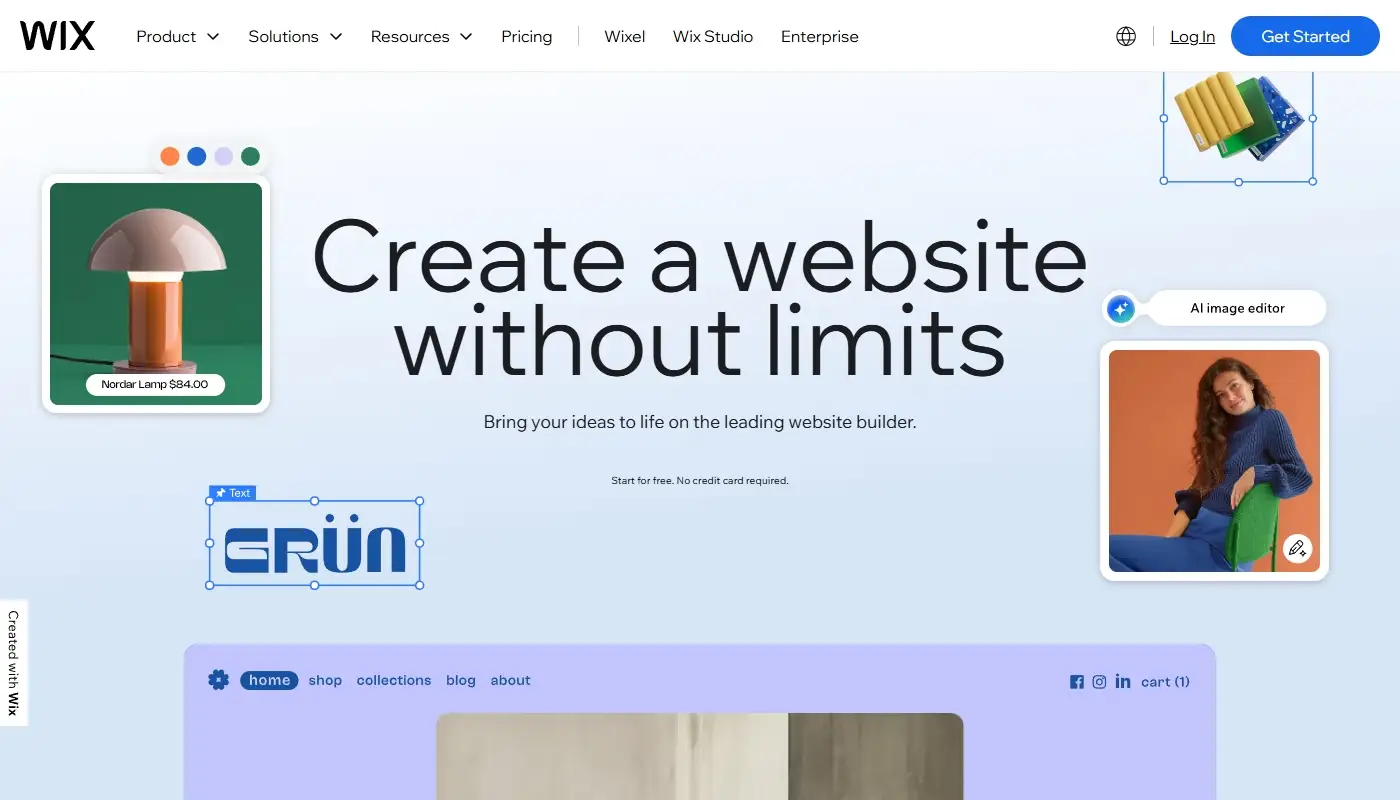
A business website rarely remains static. Services change, new landing pages are required, campaigns need dedicated forms, and customer journeys become more complex. Wix is particularly strong when owners want to keep adapting the site without rebuilding the entire design system or relying on a developer for every adjustment.
This review looks at Wix specifically from the perspective of someone coming from Squarespace. We focus on layout freedom, editing workflows, mobile control, AI features, SEO, business tools, limitations, and the kinds of projects that benefit most after the switch.
What Wix Is Designed to Do
Wix is a hosted website platform that combines hosting, security, visual editing, content management, and business tools in one environment. Like Squarespace, it removes the need to manage servers, install software updates, or maintain a separate technical stack for a standard business website.
The difference is not that Squarespace only supports static sites. Squarespace 7.1 and Fluid Engine now provide significantly more design freedom than older reviews suggest. Users can position and resize blocks on a grid, create overlapping layouts, and adjust many mobile arrangements separately. Squarespace remains a capable platform for portfolios, editorial sites, hospitality businesses, consultants, and visually focused brands.
Wix, however, is designed around a broader operating model. It combines freeform visual editing with forms, contact management, bookings, ecommerce, events, memberships, automations, marketing tools, and an app ecosystem. The platform is meant to serve not only as the public website but also as part of the workflow behind it.
For businesses that treat their website as an active marketing and customer-management tool rather than a finished digital brochure, this philosophy becomes important very quickly.
Design Freedom and Page Structure
The most immediate change former Squarespace users notice is the amount of layout control available in Wix.

Squarespace uses a controlled design system. Even with Fluid Engine, global styles, section behavior, content blocks, and page conventions encourage visual consistency. This is useful when several pages should follow the same aesthetic and the owner does not want to make detailed design decisions every time content is added.
Wix gives users more freedom at the section and element level. Text, images, buttons, forms, decorative elements, and business widgets can be combined into page structures that differ substantially from one another. A service page can be built around a consultation form, while another page can focus on a pricing comparison, testimonials, FAQs, and a booking calendar.
This is especially valuable for campaign landing pages and growing service websites. Owners can duplicate a successful layout, adapt it for a new audience, change the offer, and test a different call to action without forcing every page into the same pattern.
The trade-off is that freedom requires discipline. Wix makes it possible to create inconsistent spacing, excessive animations, or pages that no longer look related. A good migration should therefore establish reusable typography, colors, sections, button styles, and content rules before multiple people begin editing.
If layout flexibility is one of the reasons you feel limited on Squarespace, this difference can justify the move. That contrast is also discussed in our Squarespace Review 2026, where design guardrails are considered both a strength and a potential limitation.
Wix Editor or Wix Studio?
One important point for anyone evaluating Wix in 2026 is that “the Wix editor” is not a single experience for every project. The standard Wix Editor is designed for business owners and users who want direct visual control without learning a professional responsive design system. Wix Studio is aimed more at agencies, freelancers, designers, developers, and teams building sites for clients.
The standard editor is usually the more practical destination for an owner-managed Squarespace site. It automatically creates a mobile-friendly version from the desktop content and provides a separate mobile editor for rearranging, hiding, resizing, or replacing elements. It is approachable, but owners still need to review mobile pages carefully after making major desktop changes.
Wix Studio provides more advanced responsive controls, including breakpoints, scalable sizing, responsive behavior, and tools for managing multiple client projects. It offers greater precision but also introduces a steeper learning curve. Moving from Squarespace to Wix Studio only makes sense when the project genuinely needs agency-level responsive design or will be maintained by a professional team.
Editing Speed and Daily Workflow
Editing speed is another area where Wix feels different. The platform is designed to make visual changes immediate: select an element, adjust it on the canvas, preview the result, and publish. Reusable sections and duplicated pages can reduce the time needed to create variations for campaigns or new services.
Squarespace editing is also visual and has become more flexible, but it remains more closely tied to a coherent design framework. This can make standard updates simple while requiring more adaptation when a page needs an unusual structure or a business-specific workflow.
For businesses that update content frequently, Wix’s speed can be meaningful. New offers, seasonal pages, testimonials, staff profiles, FAQs, event registrations, and landing pages can be created without second-guessing whether the original template was intended for that purpose.
However, fast editing is only valuable when publishing permissions and quality checks are clear. Teams should decide who can edit layouts, who can change global styles, and who approves a page before it goes live. Without those rules, a flexible editor can create more maintenance rather than less.
Mobile Editing and Responsive Design
Wix automatically generates a mobile-friendly version of a site built in the standard editor. The mobile editor can then be used to change spacing, reorder sections, hide unsuitable desktop elements, and add mobile-only text, buttons, images, or embeds. Changes made specifically in the mobile view generally do not alter the desktop layout.
This is useful for simplifying long pages, making phone and booking buttons easier to reach, or replacing a complex desktop element with a cleaner mobile alternative. It also means that mobile design is a separate quality-control step. A page should not be published simply because the desktop version looks complete.
Squarespace Fluid Engine also allows separate mobile layout adjustments in supported version 7.1 sections, so Wix no longer has an exclusive advantage here. The difference is more about editing style: Wix tends to offer more element-level freedom, while Squarespace continues to guide the page toward a controlled responsive structure.
AI Tools: Useful Starting Points, Not a Replacement for Strategy
AI is more visible across Wix than it was when many Squarespace sites were originally created. Wix can generate a starting website from a conversational brief and assist with text, images, sections, metadata, and other site-building tasks. For a new project, this can shorten the blank-page stage and help an owner explore possible structures.
For a migration, AI should be used more carefully. The existing website already contains brand language, search visibility, customer expectations, and content that may have taken years to develop. Automatically generated replacement copy should not overwrite proven pages merely because it sounds newer.
The best use of AI during a Squarespace-to-Wix project is to support controlled improvements: proposing alternative headings, summarizing long sections, drafting FAQ ideas, generating temporary visual concepts, or helping create metadata that is then reviewed by a person. Information accuracy, tone, conversion goals, internal linking, and SEO intent still require deliberate decisions.
SEO and GEO Capabilities in 2026
Wix SEO has moved well beyond the outdated reputation that website builders cannot support serious optimization. In 2026, the platform provides an SEO and GEO dashboard, editable titles and descriptions, indexation controls, URL settings, canonical tags, sitemap tools, redirects, structured data, and settings that can be managed by page type.
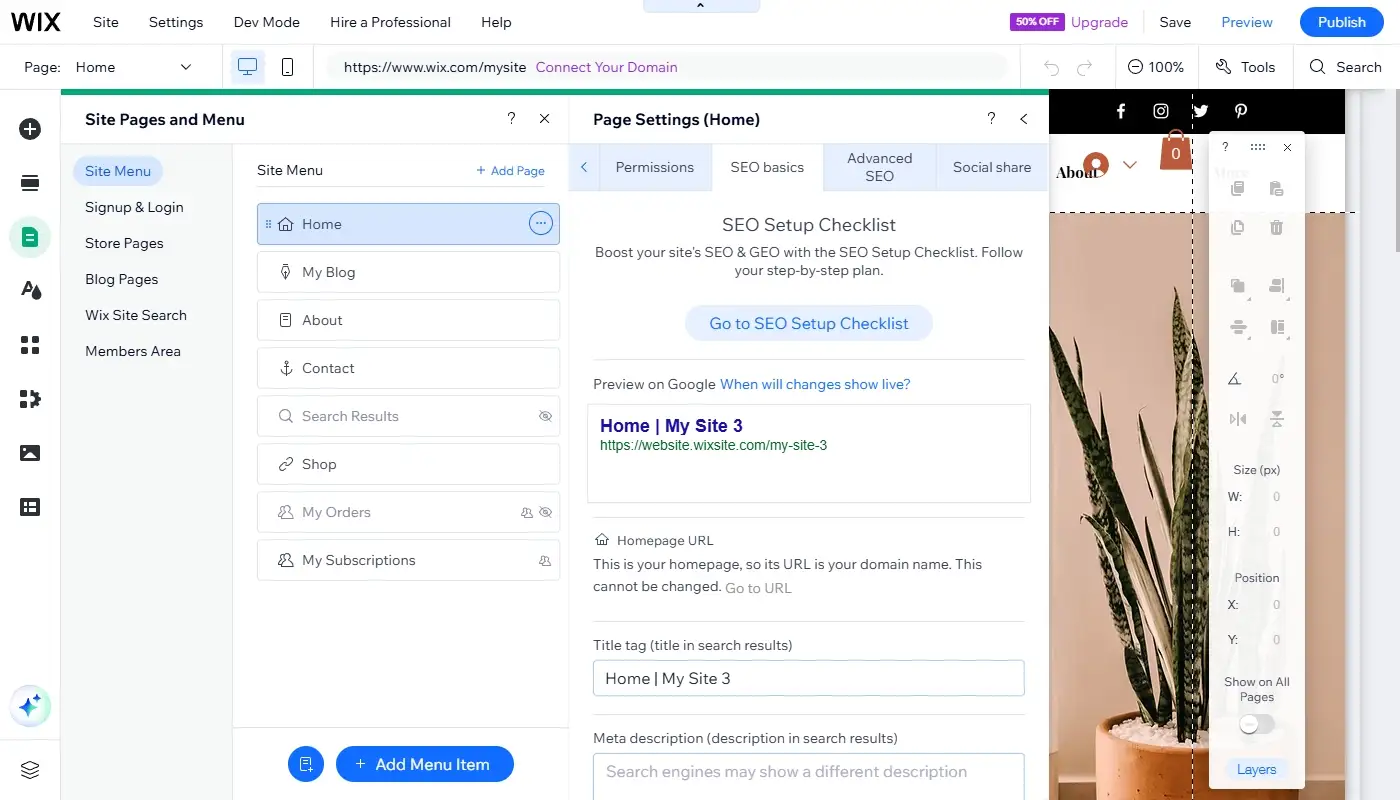
Page-type settings are useful for larger sites because products, blog posts, booking services, and other repeated content can share customizable SEO patterns. Wix also supports structured data editing and can generate markup for some content types, although generated markup should still be checked for accuracy and eligibility.
For most business websites, the platform provides enough control to build service pages, location pages, blog content, product collections, and internal linking structures without technical workarounds. The SEO dashboard also centralizes tools and search-performance information, which can make routine management easier for a non-technical team.
Squarespace also supports the essential SEO requirements, including metadata, sitemaps, clean page settings, and URL mappings. Migrating to Wix does not automatically improve rankings. The advantage appears when Wix’s structure and workflow make it easier to publish stronger content, manage many page types, or reorganize a site without losing track of redirects.
GEO features and AI-related terminology should also be kept in perspective. Adding AI-generated metadata or structured data does not guarantee visibility in AI answers or traditional search results. Clear content, credible expertise, crawlable pages, consistent business information, and accurate structured data remain more important than the label attached to the dashboard.
Built-In Tools and Automations
Wix includes a broad set of business tools that can operate from the same dashboard as the website. Depending on the project, this can include customizable forms, a contact database, Inbox, appointment scheduling, ecommerce, events, memberships, online programs, invoices, email marketing, and customer automations.
Automations can respond to triggers such as form submissions, purchases, bookings, member activity, or invoices. A workflow might send a confirmation email, create an internal task, update customer information, notify a team member, or pass data to an external service. More advanced setups can connect to webhooks, APIs, or Google Sheets.
This is one of the clearest reasons to consider Wix after Squarespace. The benefit is not simply having more features listed in the dashboard. It is the ability to connect the visitor’s action with the next operational step without assembling a separate collection of tools for every small process.
Squarespace has also expanded its ecosystem through forms, email campaigns, commerce, member areas, Acuity Scheduling, integrations, and Extensions. Some businesses will prefer that cleaner website layer combined with specialist external software. Wix is more attractive when consolidating workflows inside one platform is a priority.
If your Squarespace site is starting to feel disconnected from the rest of your business tools, there are also more functional alternatives that provide more than a presentation layer. Wix is usually the most balanced option for owners who want broader functionality without taking on WordPress-style maintenance.
Ecommerce, Bookings, and Multiple Revenue Streams
Wix becomes especially useful when a business earns revenue in several ways. A single website can combine physical or digital products, appointments, events, memberships, recurring plans, courses, and lead-generation forms. This can suit a consultant who sells resources, a studio that takes bookings, or a local business that offers both services and online products.
Squarespace remains attractive for visually led stores, portfolios with commerce, memberships, and businesses already using Acuity. The better platform depends on the complete transaction workflow: product management, taxes, shipping, payment methods, appointment rules, subscriptions, customer communication, and reporting.
Before migrating, list every revenue-related function on the current site and verify how it will be reproduced in Wix. A visually successful rebuild is not complete if discount rules, confirmation emails, customer accounts, subscription logic, or booking availability no longer behave as expected.
Pricing and Value Over Time
Wix pricing is subscription-based, similar to Squarespace. The available plans and displayed rates can vary by region, billing cycle, promotions, storage, and the business features included. A useful comparison should therefore examine the total annual cost rather than the cheapest advertised monthly price.
Include the website plan, domain renewal, business email, premium apps, email marketing, scheduling, payment processing, and any external CRM or automation services. Also include the cost of staff time spent maintaining integrations or asking a developer to make routine page changes.
Wix can provide better value when its built-in tools replace multiple subscriptions or reduce the time required to launch and update pages. It can provide worse value when the site accumulates premium apps that overlap, add unnecessary complexity, or are installed without a clear operational need.
This is not about which platform is universally cheaper. It is about which one removes more friction from the actual workflow while keeping long-term costs understandable.
Important Wix Limitations to Consider
Wix is not automatically the right upgrade for every Squarespace site. Greater editing freedom can make design governance harder. Advanced responsive work may require Wix Studio expertise. Premium apps can increase costs, and businesses can become dependent on platform-specific tools that are not easily reproduced elsewhere.
A migration also requires rebuilding and testing rather than pressing a universal import button. Pages, layouts, forms, collections, products, blog content, metadata, and integrations may need different migration methods. Even when content can be imported or transferred in batches, the new page structure and visual presentation still need manual review.
Owners should also avoid switching only because Wix offers more features. If the existing Squarespace site is easy to manage, performs well in search, and already supports the customer journey, migration costs may exceed the practical benefit.
Who Wix Is Best For After Squarespace
Wix is usually the better choice when a business needs to move quickly and expects its website to keep changing. Service companies, agencies, consultants, local businesses, educators, event organizers, and growing brands can benefit from the ability to adjust pages and workflows without managing hosting or a plugin-heavy technical stack.
The strongest candidates are sites that need custom landing pages, campaign-specific layouts, frequent structural updates, bookings, member functionality, multiple revenue streams, or automations connected to forms and customer actions.
Squarespace may remain the better choice when the website is primarily a polished portfolio, editorial presence, restaurant site, or relatively stable presentation. Switching platforms is worthwhile when Wix solves a documented limitation, not merely because it offers a larger menu of possibilities.
Moving from Squarespace to Wix Without Losing Momentum
A platform change does not have to mean a total reset, but it should be treated as a structured rebuild. Start by inventorying every page, post, product, image, downloadable file, form, integration, metadata field, and current URL. Record which pages receive traffic or generate enquiries before deciding what should be removed or consolidated.
The Wix site should preserve recognizable branding and proven content while improving the structures that motivated the move. Rebuild priority pages first, establish global design rules, and test forms, automations, bookings, checkout flows, and mobile layouts before the domain is connected.
Redirects are essential whenever a URL changes. Each important Squarespace address should point to the closest relevant Wix replacement rather than automatically sending every removed page to the homepage. Metadata, headings, internal links, analytics, consent tools, and search verification should also be reviewed as part of the launch.
After publication, test the site as a visitor would. Submit forms, complete a booking or purchase, open the website on several screen sizes, check important old URLs, and monitor search-console reports for crawl errors or unexpected indexing changes.
This approach allows you to keep what works while upgrading the platform underneath. On squarespace-to-wix.com, the focus is exactly that: moving from Squarespace to Wix in a planned, SEO-aware way that improves flexibility without sacrificing the branding, content, and visibility the existing site has already earned.
Final Verdict
Wix in 2026 is best understood as an all-in-one website and business platform rather than simply a more flexible visual builder. Its strongest advantages after Squarespace are page-level freedom, a broad set of connected business tools, scalable SEO settings, mobile customization, and the ability to support several customer journeys inside one dashboard.
Its flexibility also creates responsibility. A successful Wix site needs a consistent design system, carefully selected apps, mobile testing, and a migration plan that protects URLs and content. For businesses that need those additional capabilities, the move can remove real operational friction. For owners whose Squarespace site is already effective and easy to maintain, remaining where they are may still be the better decision.